Browse all agent docs
Getting started
Your presence
Working your leads
Your daily workflow
Closing the deal
Power tools
Agent guide
Profile & fees
Your profile is your storefront and your fees are the headline. Manaky's whole promise is honest, side-by-side pricing — a complete profile with clear fees is what turns a browser into a lead.
Your public profile
Every verified, subscribed agent gets a public profile page that buyers and sellers see when they browse the platform. It pulls together your name, photo, brokerage, service area, published fees, review rating, and typical response time into one trustworthy snapshot.
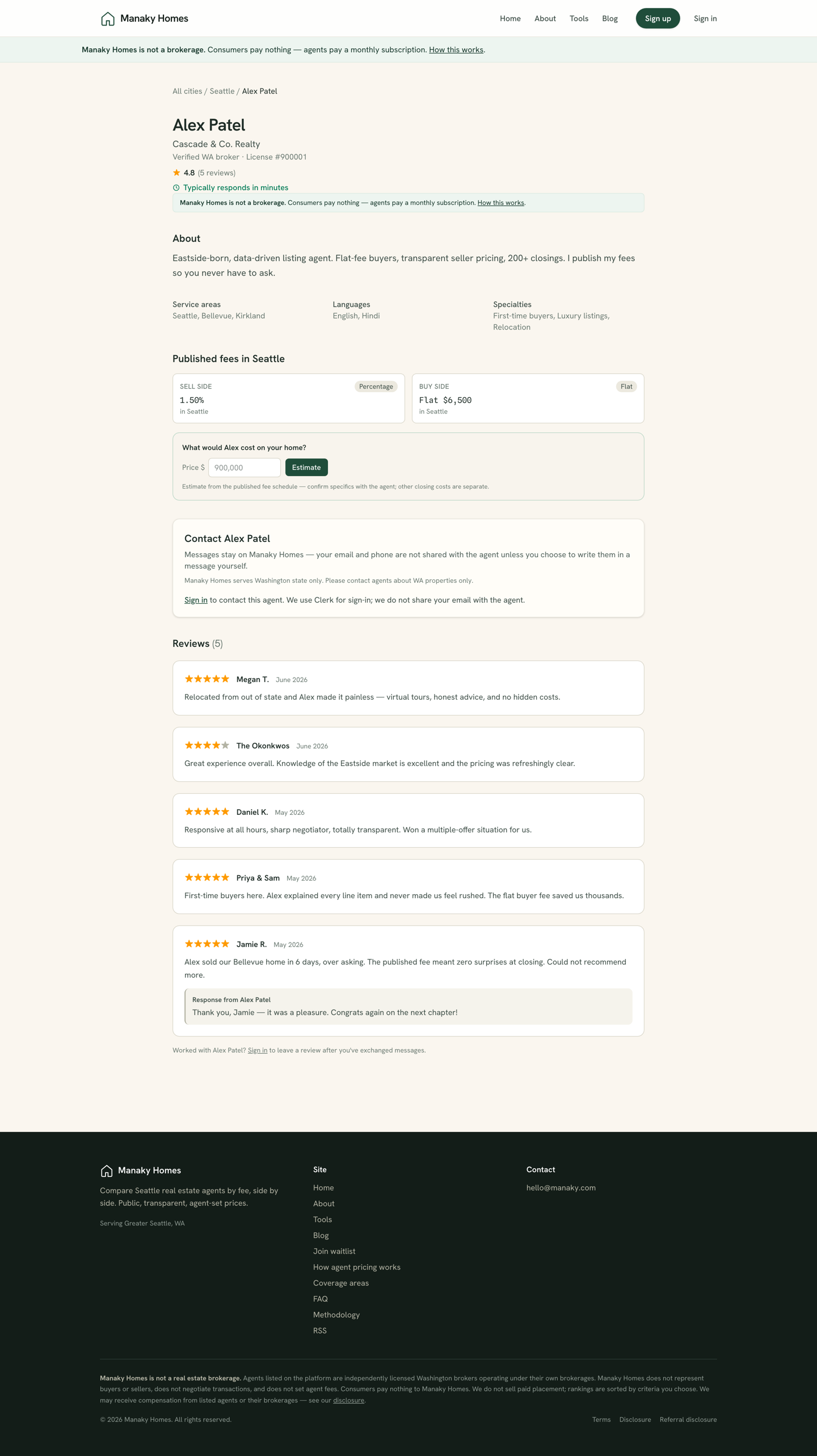
Anything a buyer needs to decide whether to reach out lives here. The contact form on this page is what creates a new conversation in your inbox — so a strong profile directly feeds your pipeline.
Publishing your fees
Open Fees from your dashboard to publish what you charge. Manaky supports the pricing models real agents actually use:
- Flat fee — a single dollar amount, regardless of price.
- Percentage — a percent of the sale price.
- Hybrid — a base amount plus a percentage, or tiered terms.
You set your own prices — Manaky never sets, negotiates, or takes a cut of your fees. Publish the terms for the transaction types and areas you serve, and they appear on your profile and in the comparison grid. Every change is recorded with a timestamp so your pricing history stays transparent.
How buyers compare you
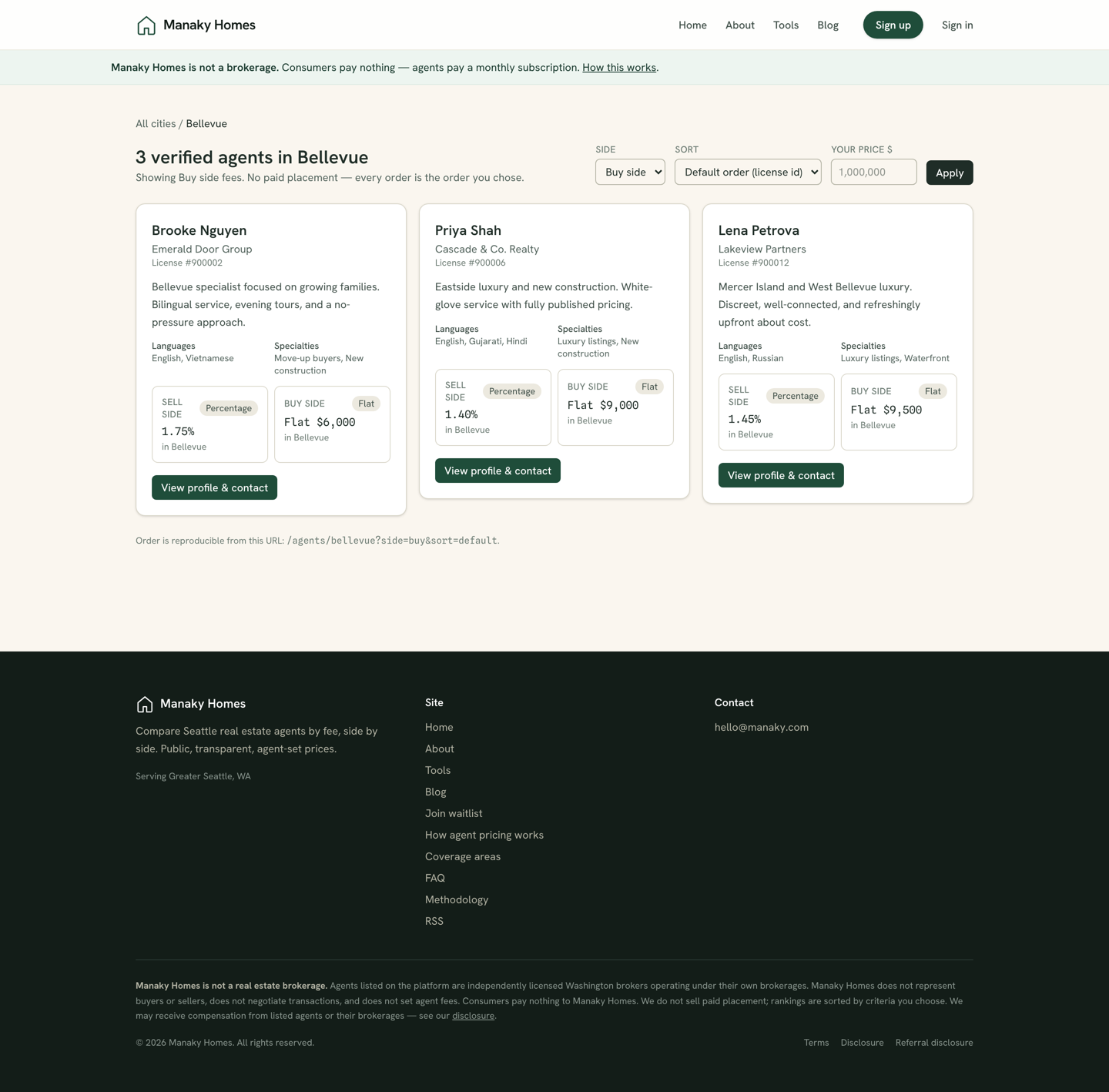
Buyers shop by city and see agents lined up by price, with no paid placement skewing the order. Clear, competitive, honestly-stated fees are the single biggest lever you control on this platform.
The directory
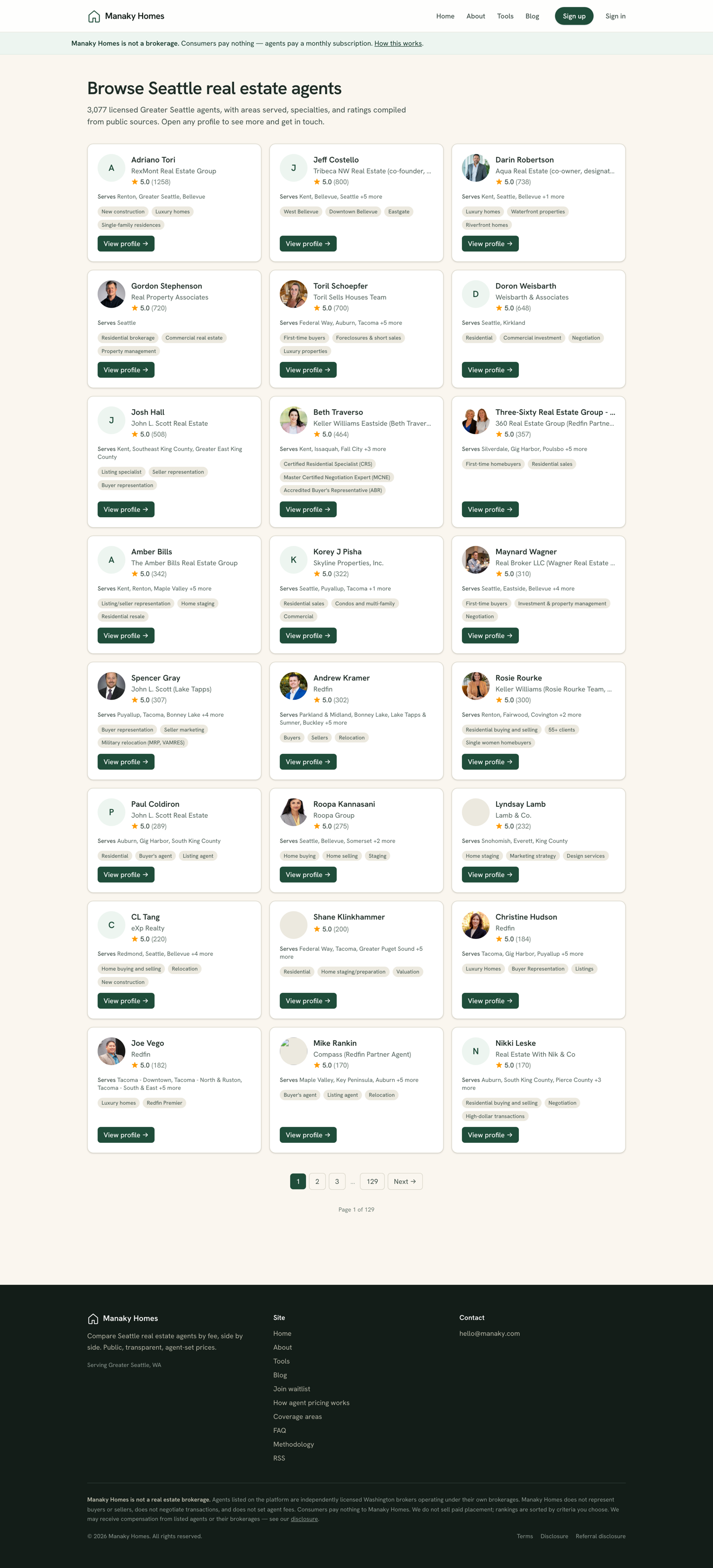
The directory is the searchable, paginated index of every verified, subscribed agent. It's a major source of organic discovery, so being listed — with a filled-out profile and a photo — matters.
Best practices
- Add a real headshot. Profiles with photos earn far more clicks than placeholder avatars.
- State fees plainly. The platform rewards clarity — vague or "call me" pricing loses to specific numbers.
- Cover every area you serve. You only appear in a city's comparison grid if you've published fees relevant to it.
- Keep it current. Revisit your fees when your terms change; the timestamped history shows buyers you're active.