Browse all agent docs
Getting started
Your presence
Working your leads
Your daily workflow
Closing the deal
Power tools
Agent guide
Dashboard & tasks
The platform is built so that ten focused minutes each morning keeps every lead moving. Your dashboard surfaces exactly what needs you today; tasks and nudges make sure nothing slips.
The dashboard
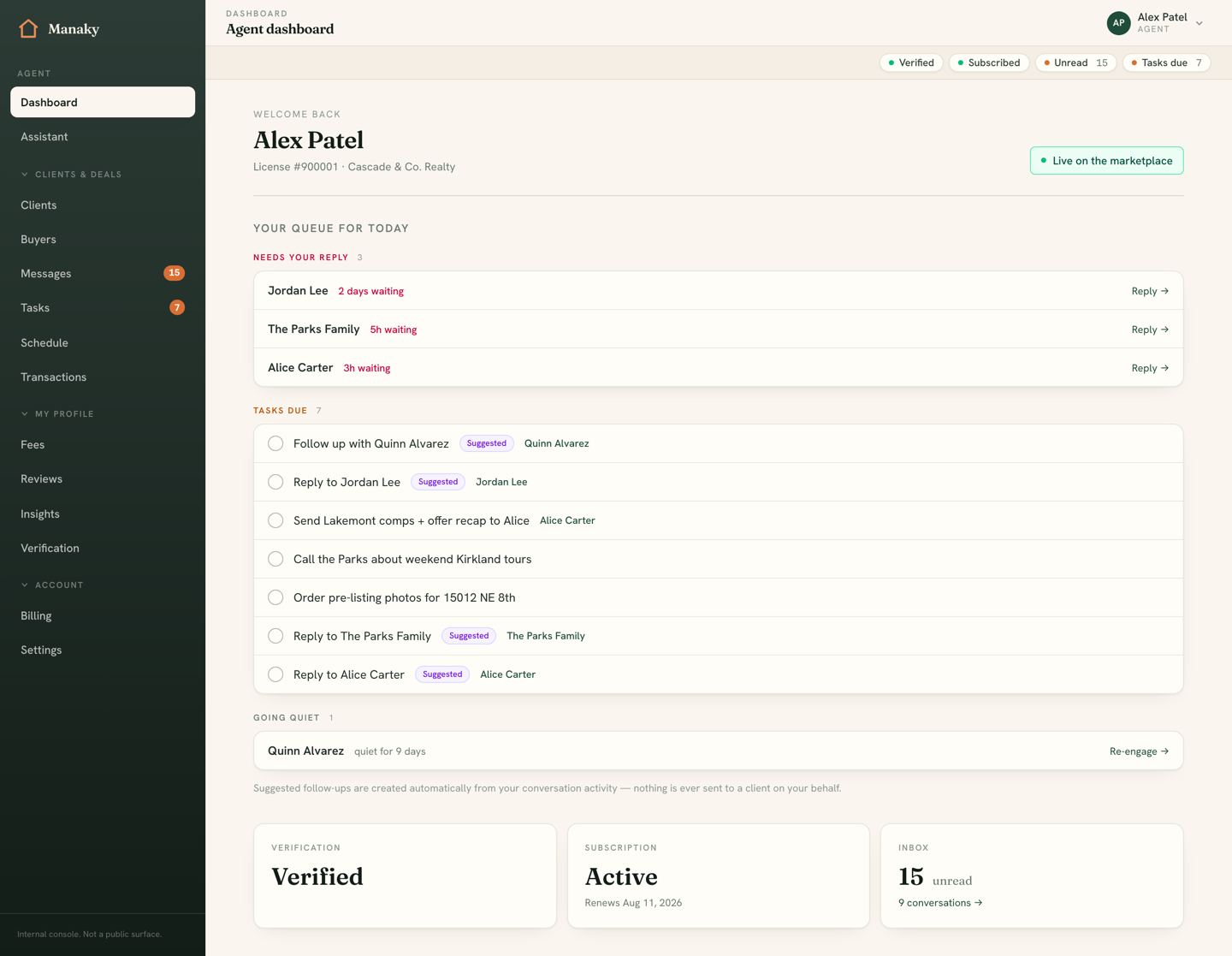
Your dashboard is the home base you land on after signing in. It shows your account and subscription status, unread message count, and a snapshot of what needs attention — pending leads, tasks due, and leads going quiet — with one-click links into each.
The today queue
The heart of the dashboard is the today queue: the prioritized list of what to do right now, in three sections, each one click from acting.
- Needs reply — open conversations where the consumer messaged last and the lead isn't closed, sorted with the longest-waiting at the top so no one is left hanging.
- Tasks due — your follow-up tasks that are overdue or due today.
- Going stale — active (non-closed) leads where you spoke last but it's been 7+ days of silence — the relationships most likely to slip away.
Tasks
Tasks are your follow-ups. Each has a title, an optional due date, and can be linked to a conversation or a contact so it always has context. The task list groups everything by urgency so the important things are unmissable:
- Overdue — past their due date.
- Due today — on deck now.
- Upcoming — scheduled for later.
- No due date — someday/maybe.
- Done — completed, tucked away but reopenable.
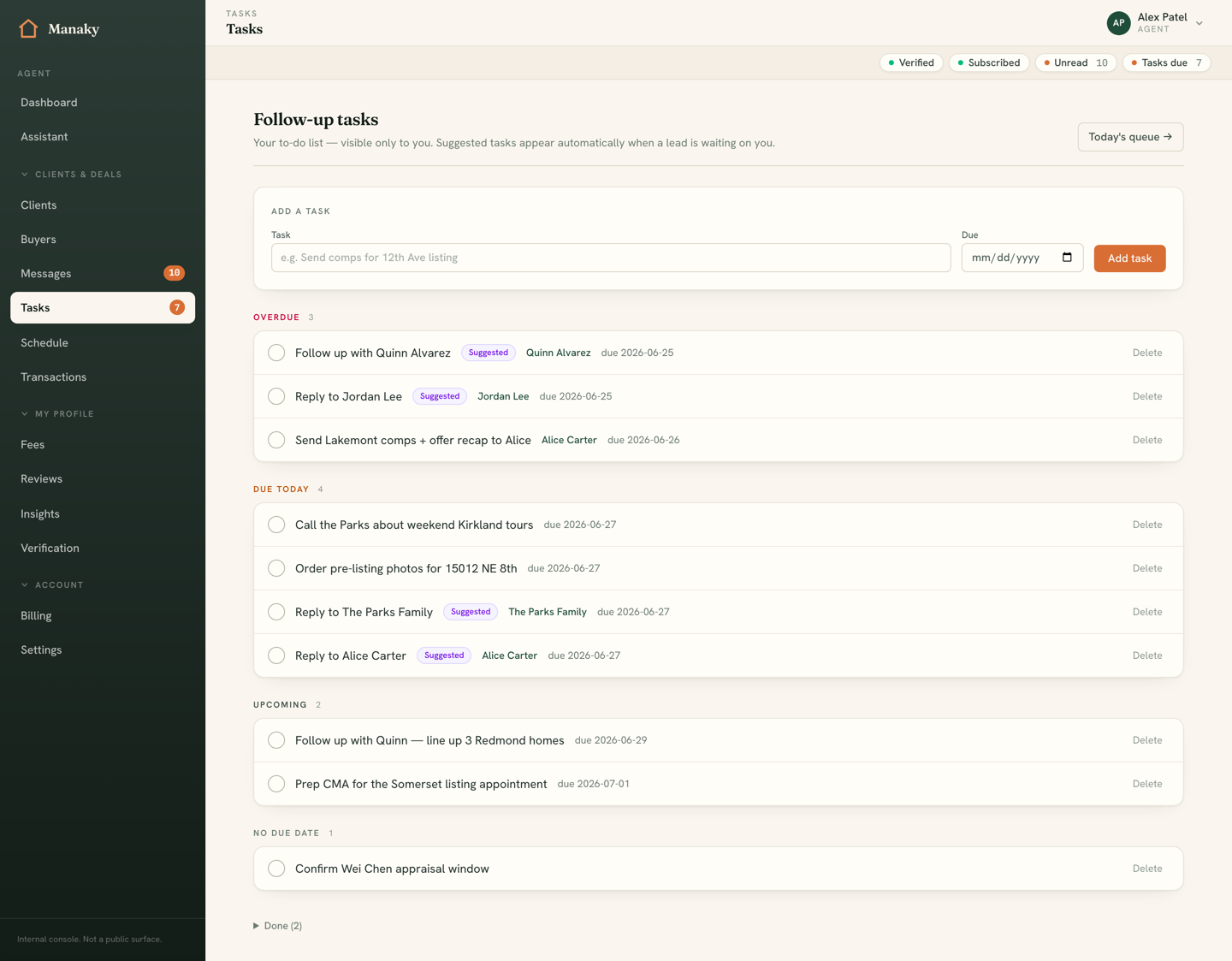
You can create a task from the task page, or inline from a conversation's CRM rail so it's automatically linked to that lead. Due dates use the Pacific calendar day, so "due today" means today in Seattle — it won't roll over on you in the late afternoon.
Automated nudges
Manaky watches your pipeline and proposes follow-up tasks before you have to remember them. These nudges appear as suggested tasks, clearly labeled, in two situations:
- A consumer message has been awaiting your reply for 2+ hours.
- An active lead has gone 7+ days without a message from you.
A daily routine
- Open your dashboard and clear Needs reply first — speed is your edge.
- Work Tasks due, checking each off as you go.
- Send a quick touch to anything in Going stale.
- Glance at any new nudges and accept the ones that make sense.
- Done — the queue is empty and every lead moved forward today.