Browse all agent docs
Getting started
Your presence
Working your leads
Your daily workflow
Closing the deal
Power tools
Agent guide
AI copilot
A ChatGPT-style assistant that knows your book of business. Ask it questions in plain language, and let it draft messages, file notes, and tee up follow-ups — always with your sign-off before anything changes.
What it is
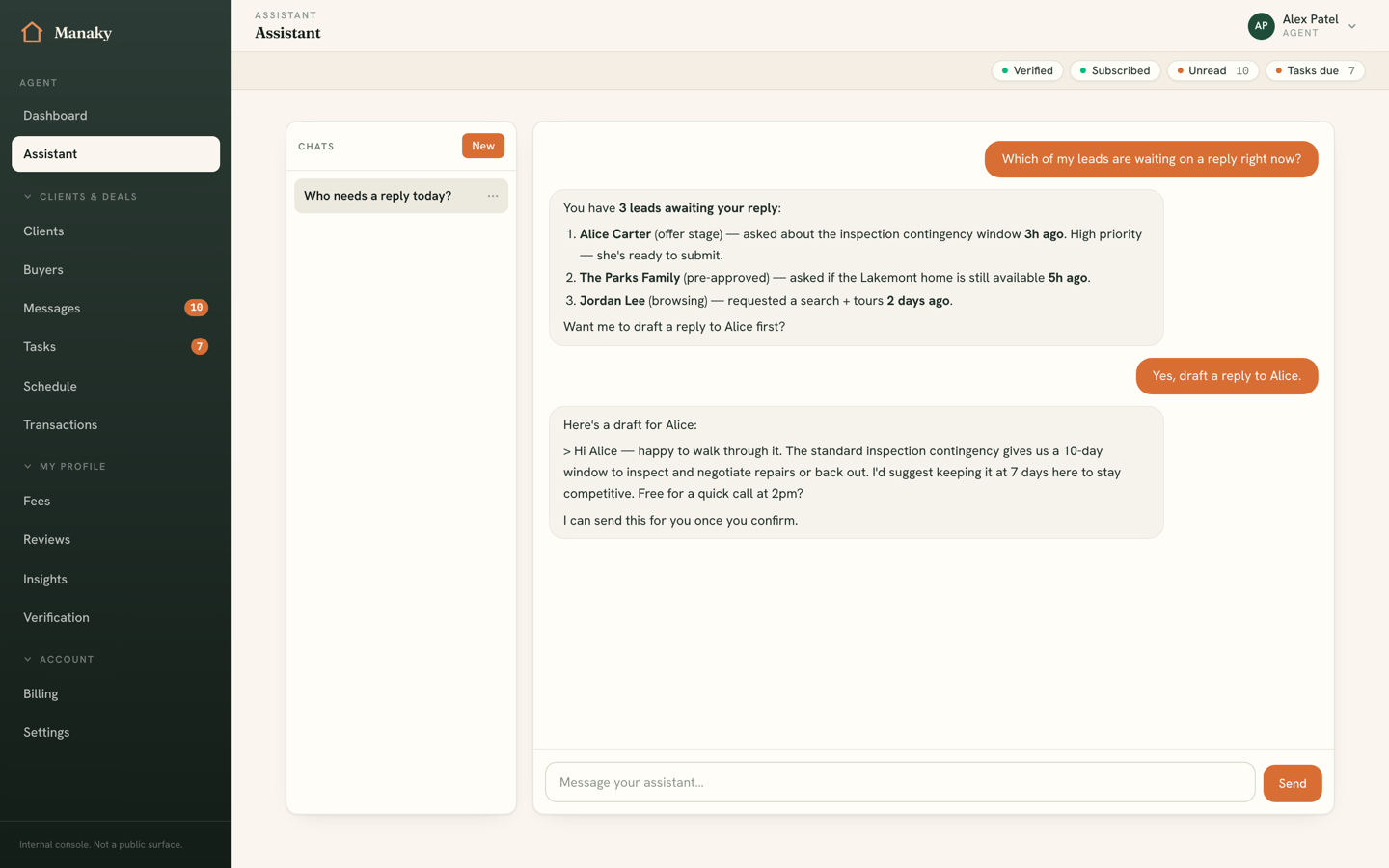
The copilot is a conversational assistant wired into your own leads, tasks, insights, and schedule. You talk to it the way you'd talk to a sharp assistant: "Which leads have I not replied to?", "Draft a follow-up to the Carters," "Add a task to call back tomorrow." It answers from your real data and can take action on your behalf — but only after you approve.
Conversations
Your chats are saved and resumable — start a new one any time, and return to an earlier thread to pick up where you left off. Each conversation auto-titles from your first message, so your history stays easy to scan.
How it acts
The copilot works in three gears, by design. Anything that just reads your data runs automatically; anything that writes waits for your explicit OK; and the highest-stakes actions are never executed from chat at all — they hand you off to the dedicated screen. This is what makes it safe to let an assistant near a live pipeline.
Reading your data (automatic)
Questions are answered on the spot. The copilot can pull your leads, a single lead summary, your tasks, your today queue, your insights, your contacts, your offers and documents, your schedule, discoverable buyers, and your reviews — then answer in plain language. No confirmation needed, because nothing changes.
Actions you confirm
When the copilot wants to change something, it shows you an action card and waits. Nothing happens until you press confirm. Actions in this tier include:
- Creating or completing a task
- Updating a lead's stage
- Adding a private lead note
- Sending a message to a consumer
- Creating or updating a contact
Handoffs
The most consequential actions — preparing an offer, sending a document to e-sign, or publishing a fee — are never executed from chat. Instead the copilot prepares a draft and hands you a deep link straight to the right screen, where you finish deliberately. It can do the legwork; the final commit is always yours, in the proper tool.
Voice dictation
Where voice is enabled, you can dictate instead of type. Speak your message and it's transcribed into the input box, where you review and edit before sending — handy when you're between showings and don't want to thumb-type. As with everything else, the transcript is yours to check before anything is sent.
The action ledger
Every action the copilot takes on your behalf is recorded in an action ledger — an audit trail of what was done, when, and from which conversation. Read actions run freely, confirm actions are logged when you approve them, and handoffs are logged as the deep links they produce. You always have a clear record of exactly what the assistant did.