Browse all agent docs
Getting started
Your presence
Working your leads
Your daily workflow
Closing the deal
Power tools
Agent guide
Inbox & CRM
Every time a buyer or seller reaches out, it becomes a lead in your inbox — a full CRM thread with a stage, private notes, and response timing. This is where you turn interest into clients.
The inbox
Your inbox lists every conversation you have with consumers. Each row shows who you're talking to, a preview of the latest message, the lead's current stage, an unread badge, and a responsiveness indicator so the leads that need you most rise to the top.
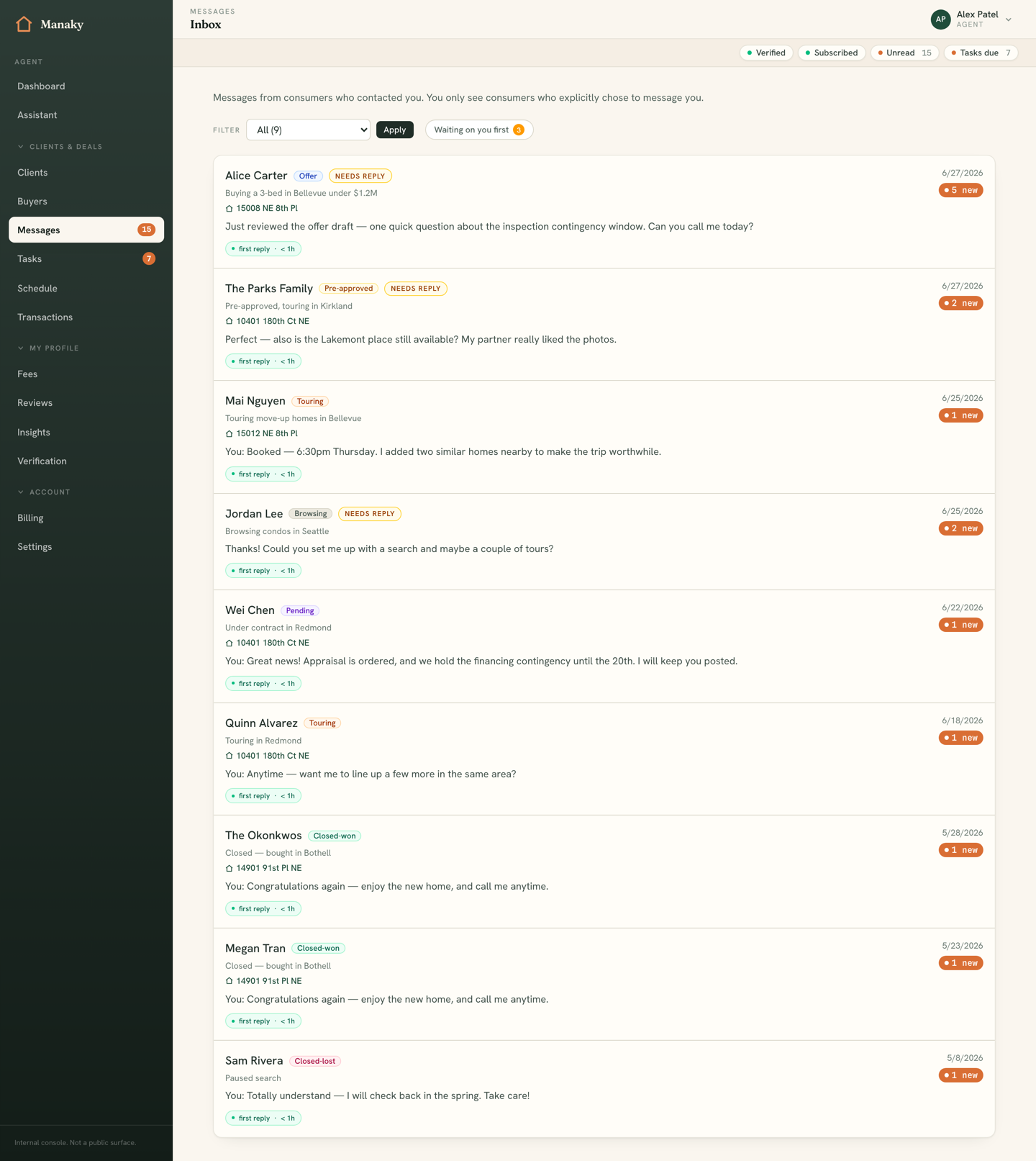
You can filter the list by stage, and the filter lives in the URL — so you can bookmark, say, "everyone touring right now" and return to it in one click.
Lead stages
Stages let you track where each lead sits in the buyer journey. Open any conversation and set its stage from the panel beside the messages. Manaky uses seven stages, in order:
- Browsing — just exploring; early interest.
- Pre-approved — financing is lined up and they're ready to act.
- Touring — actively visiting homes.
- Offer — preparing or submitting an offer.
- Pending — under contract, working toward close.
- Closed — won — the deal closed with you. 🎉
- Closed — lost — the lead went cold or chose another path.
Private notes
Inside a conversation you can add private lead notes — free-text reminders that only you can see. Each note is stamped with the author and time. Use them for the things that don't belong in a message to the client: their must-haves, the school district they care about, why they passed on a home.
Responsiveness
Manaky tracks how fast you reply. Each inbox row shows either how long a new lead has been awaiting your first reply or how quickly you answered. Speed is the strongest signal of a great agent on this platform, so this telemetry is designed to keep first responses at the front of your mind — and it feeds directly into your insights.
Contacts & book of business
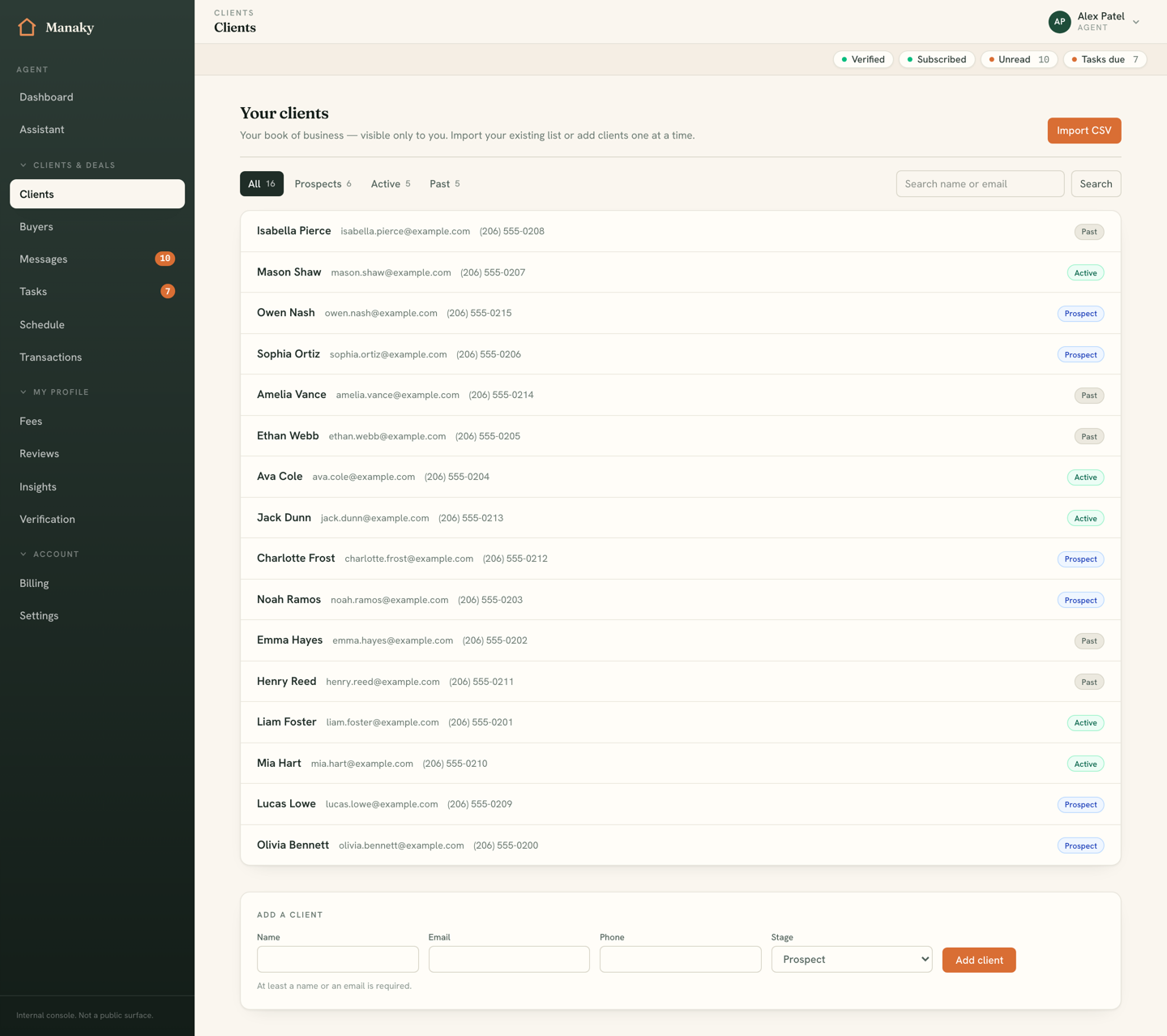
Not every relationship starts as an inbound message. Contacts is your full book of business — past, active, and prospective clients — searchable by name, email, or phone and grouped by lifecycle:
- Prospect — someone you're courting or nurturing.
- Active — a client you're working with right now.
- Closed — a past client worth staying in touch with for referrals and repeat business.
Importing past clients
Bringing your existing clients with you is a one-time job. From Contacts, open Import and upload a CSV of your book — names, emails, phones — to seed your contacts in bulk instead of typing them one by one. Once imported, they're searchable and ready for tasks and follow-ups like any other contact.